A UTM link is a standard URL with additional tracking parameters appended to it. When someone clicks the link, Google Analytics reads those parameters and records where the visit came from, which campaign it belonged to, and what medium delivered it. Building UTM links correctly is one of the simplest ways to make campaign reporting more accurate and actionable.
How do you build a UTM link?
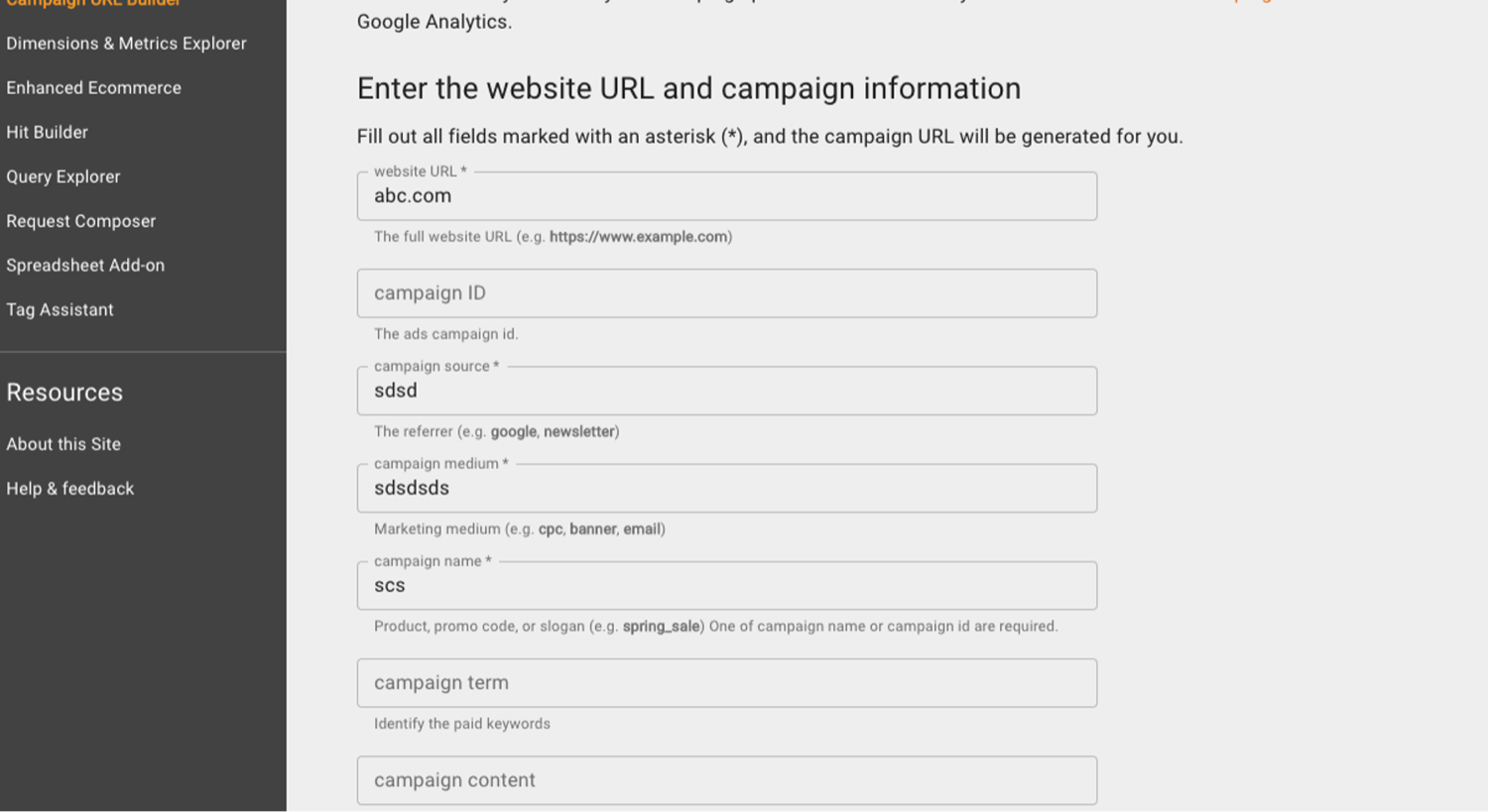
The easiest way to create UTM links is using Google's Campaign URL Builder, available at ga-dev-tools.google/campaign-url-builder. The tool generates the full URL without the risk of formatting errors.
- Open the Campaign URL Builder and paste your destination URL into the Website URL field.
- Fill in the Campaign Source field with the platform or publication sending the traffic (for example: google, facebook, newsletter).
- Fill in Campaign Medium with the marketing channel type: cpc for paid search, social for social media, email for email campaigns.
- Fill in Campaign Name with the specific campaign identifier: for example, april-promo or product-launch-2025.
- Optionally add Campaign Term for paid search keyword tracking and Campaign Content to distinguish between different ads or creative variations.
- Copy the generated URL and use it as the destination in your ad, email, or post.
What naming conventions should you follow?
UTM parameters are case-sensitive, so inconsistent capitalisation will create duplicate entries in GA4 reports. Following a consistent set of rules from the start saves significant cleanup work later:
- Always use lowercase for all parameter values
- Use hyphens instead of spaces or underscores in campaign names (april-promo not April Promo or april_promo)
- Use consistent source names across all campaigns: google not Google or google-ads
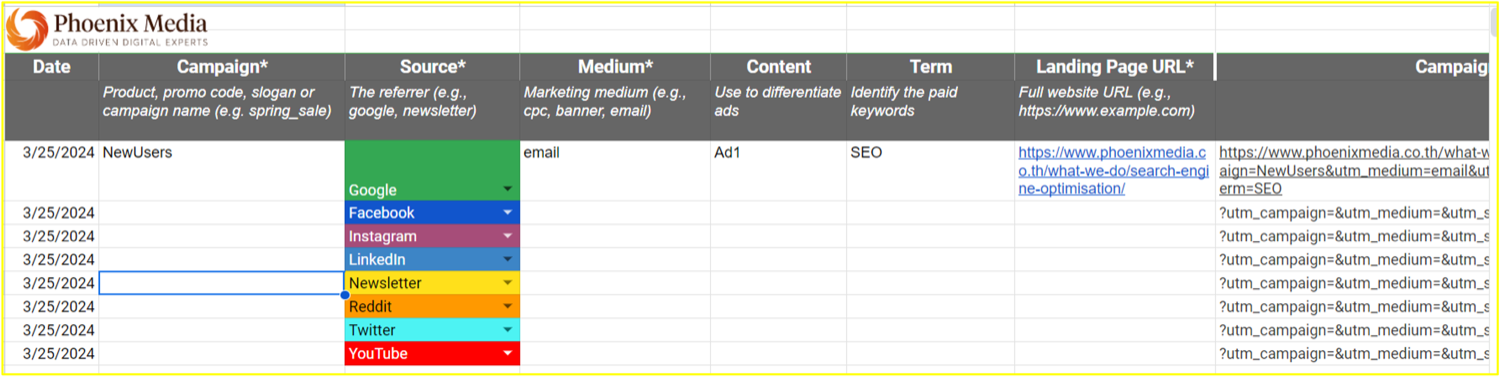
- Keep a UTM reference document so all team members use the same naming conventions
Where do you find UTM data in GA4?
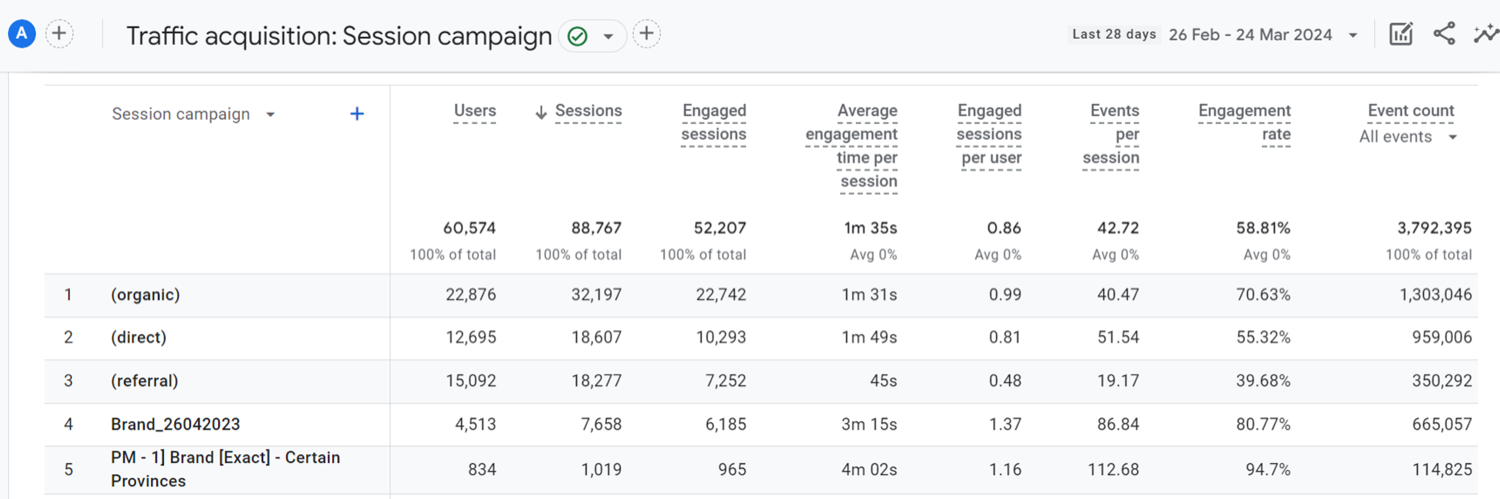
UTM data appears in GA4 under Reports, then Acquisition, then Traffic Acquisition. The default view groups sessions by Session default channel group, but the dimension can be changed to Session source, Session medium, or Session campaign to see the UTM values directly. The Session campaign dimension shows Campaign Name values, Session source shows utm_source values, and Session medium shows utm_medium values. At Phoenix Media, we use this report alongside platform-level data to cross-reference what campaigns are actually driving sessions and conversions, as GA4 and ad platform figures often differ due to attribution model differences and ad blockers.