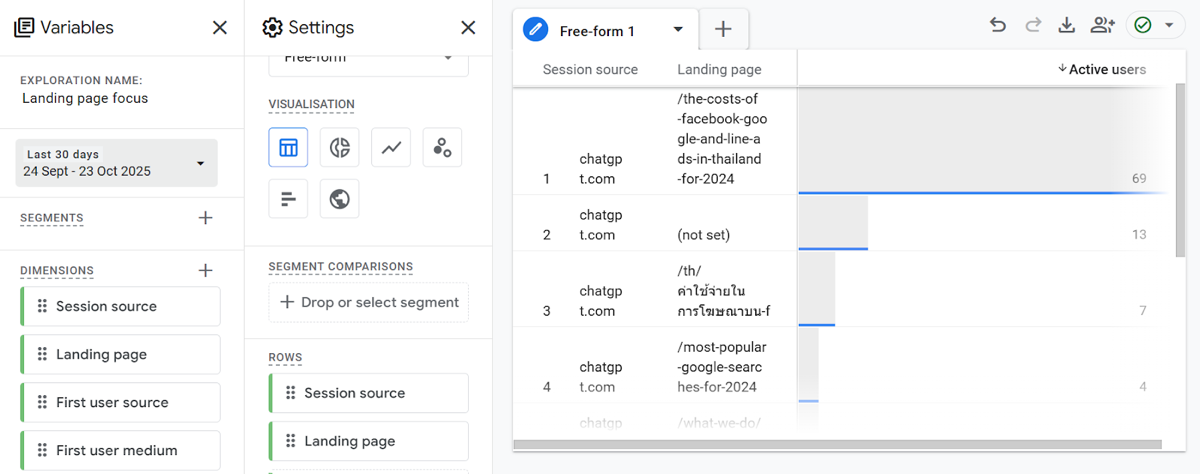
AI tools such as ChatGPT, Perplexity, and Claude are increasingly referring users to external websites as part of their responses. This traffic shows up in GA4 as referral or direct traffic depending on how the tool passes the referrer, making it difficult to identify without specific configuration. Setting up a way to track and segment AI referral traffic lets you understand how much of your audience is arriving via AI tools and which content those tools are citing.
How does AI referral traffic appear in GA4?
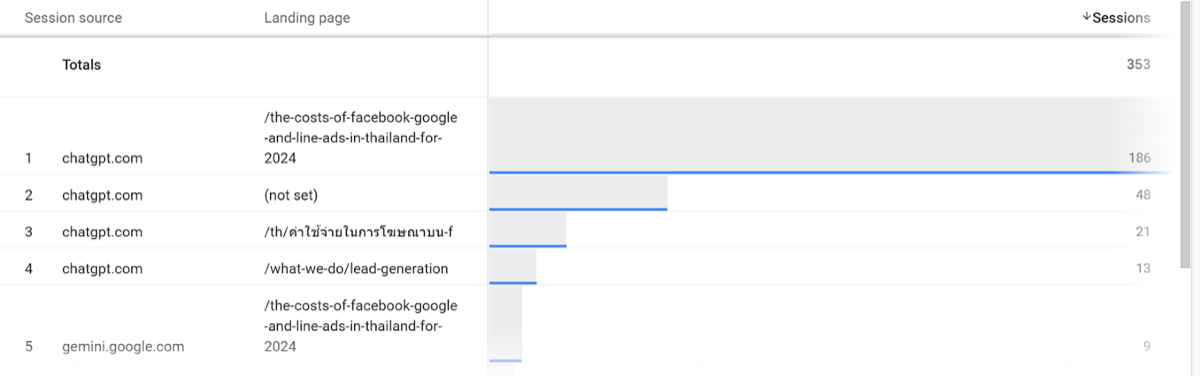
When a user clicks a link in ChatGPT, it typically appears in GA4 as a referral from chatgpt.com. Perplexity traffic arrives from perplexity.ai. Some AI tools do not pass a referrer at all, so traffic appears as direct rather than referral.
Google's own AI Overviews (formerly SGE) does not appear as a separate source: clicks from AI Overviews are attributed to organic Google search in the same way as standard search results. This means you cannot distinguish AI Overview clicks from standard organic clicks within GA4.
How do you find AI referral traffic in GA4?
- In GA4, go to Reports, then Acquisition, then Traffic Acquisition.
- Change the primary dimension from Session default channel group to Session source.
- Search for chatgpt, perplexity, claude, or bing (which includes Copilot referrals) in the search bar to filter the source list.
- Review the sessions, engagement rate, and conversions from these sources to assess whether AI-referred traffic is meaningful in volume or quality.
How do you create a custom channel group for AI traffic?
GA4 allows custom channel groups to be created under Admin, then Data Display, then Channel Groups. You can define a new channel called AI Referral with rules that match sessions where the source contains chatgpt, perplexity, claude, gemini, or other AI tool domains. Once saved, this channel appears as a segment in Traffic Acquisition reports, making it easier to monitor AI referral traffic over time without manually filtering by source each time.
What should you do with AI traffic data?
For most websites, AI referral traffic is currently small relative to organic search or paid channels, but it is growing. The pages receiving AI referral traffic are worth noting because they indicate which content AI tools are selecting as sources for their answers. Content that is accurate, well-structured, and clearly attributed tends to be cited more frequently. At Phoenix Media, we monitor AI referral traffic for clients as part of regular reporting and use it as one signal when assessing whether knowledge base and blog content is performing beyond standard search rankings.