Blocking someone from your Facebook Page prevents them from liking, commenting on, or messaging the Page. It is most commonly used to remove persistent spam accounts, abusive commenters, or individuals whose behaviour is damaging to your Page's community. Blocking is distinct from simply hiding or deleting individual comments: it removes the person's ability to interact with the Page entirely.
How do you block someone from a Facebook Page?
- Go to your Facebook Page and find a post or comment from the person you want to block.
- Click on their name to open their profile.
- On their profile, click the three-dot menu icon (more options) below their cover photo.
- Select Block.
- A confirmation prompt will appear. Confirm that you want to block the person from your Page.
Can you block someone directly from Page Settings?
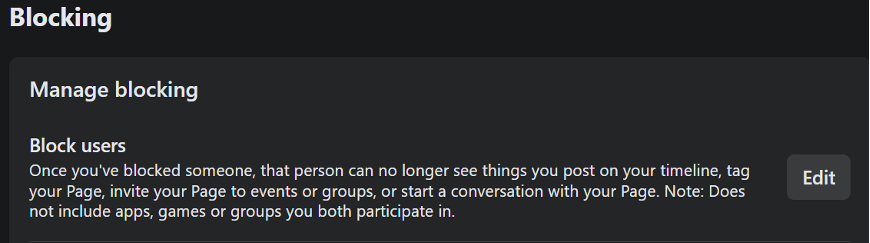
Yes. If you do not have a recent comment or post from the person to navigate from, you can block them via Page Settings. Go to your Page, click Settings, then select Privacy, then Blocking.
You can enter a name or email address to search for and block a specific user. This method is also useful for reviewing your current list of blocked users or unblocking someone if needed.
What is the difference between blocking and banning?
On Facebook Pages, the terms blocking and banning are often used interchangeably. Both refer to preventing a specific person from interacting with your Page. Blocking via the profile or via Page Settings both achieve the same result. The blocked person can still see your Page's public posts if they search for it while logged out, but cannot engage while logged into their account.
Can a blocked person tell they have been blocked?
Facebook does not notify the person that they have been blocked. They will find that they can no longer like, comment on, or send messages to the Page, but they will not receive an explicit notification explaining why. Previously posted comments from a blocked user remain visible on the Page unless you also delete them.
How do you unblock someone?
To unblock a person, go to Page Settings, then Privacy, then Blocking. Find the person in the Blocked Users list and click Unblock next to their name. Once unblocked, they can interact with the Page again. Note that if the block was made in error or as a result of a misunderstanding, removing problematic content first before unblocking is generally advisable.