Two-factor authentication (2FA) is a security method that requires two separate forms of verification before granting access to an account. The first factor is typically a password. The second is something the user physically has or controls, such as a code sent to their phone or generated by an authenticator app. Even if a password is stolen or guessed, 2FA prevents unauthorised access without the second factor.
How does two-factor authentication work?
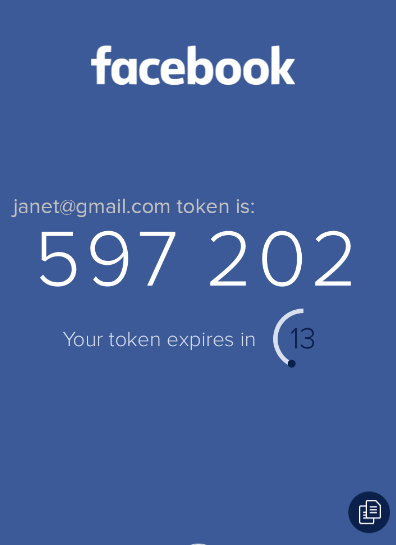
When 2FA is enabled on an account, logging in requires both the password and a second verification step. After entering their credentials, the user is prompted to provide the second factor, usually a time-sensitive code. This code is either sent via SMS, generated by an authenticator app such as Google Authenticator, or delivered by email.
The code expires within a short window, typically 30 seconds, which limits the risk of interception. Some platforms support hardware security keys as an alternative, which require physical possession of a device to authenticate.
What types of second factor are commonly used?
The most common second factors, from least to most secure, are:
- SMS codes sent to a registered mobile number, which are convenient but vulnerable to SIM-swapping attacks
- Email codes sent to a recovery address, slightly more secure than SMS but dependent on the security of the email account itself
- Authenticator apps (Google Authenticator, Microsoft Authenticator), which generate time-based codes offline and are more secure than SMS or email
- Hardware security keys, the most secure option, requiring physical possession of the key to complete authentication
Why should businesses use two-factor authentication?
Digital marketing accounts hold significant value: access to advertising budgets, customer data, and connected platforms. A compromised Google Ads or Meta account can result in fraudulent spend within hours, and recovery can take days while campaigns are disrupted. Enabling 2FA is one of the simplest risk-reduction steps available.
It is particularly important for accounts managed across a team, where password hygiene is harder to control. Most platforms including Google, Meta, and LinkedIn now strongly encourage or require 2FA for business accounts.
Which accounts should have 2FA enabled?
As a minimum, 2FA should be active on:
- Google accounts linked to Google Ads, GA4, Google Search Console, and Google Business Profile
- Meta Business Suite and any personal Facebook accounts with admin access to a business page or ad account
- LinkedIn Campaign Manager accounts
- Business email accounts used for platform login and account recovery
- Any CRM, billing platform, or marketing automation tool connected to client or customer data