Scheduling Facebook posts in advance lets you maintain a consistent posting cadence without being online at the exact moment you want content to go live. Facebook offers a built-in scheduling tool within Meta Business Suite that is free to use and covers both Facebook and Instagram. This guide walks you through the process.
What do you need before you start?
You need a Facebook Page (not a personal profile) and admin or editor access to that page. Scheduling is done through Meta Business Suite, which is available at business.facebook.com. If you do not yet have a Facebook Page for your business, you will need to create one first through your personal Facebook account before proceeding.
How do you schedule a post in Meta Business Suite?
- Go to business.facebook.com and log in with the Facebook account that has access to your Page.
- Select your Page from the left-hand sidebar if you manage multiple pages.
- Click "Create post" from the home screen or navigate to "Posts" under the Planner section in the left menu.
- Write your post copy, add your image or video, and choose whether to post to Facebook, Instagram, or both.
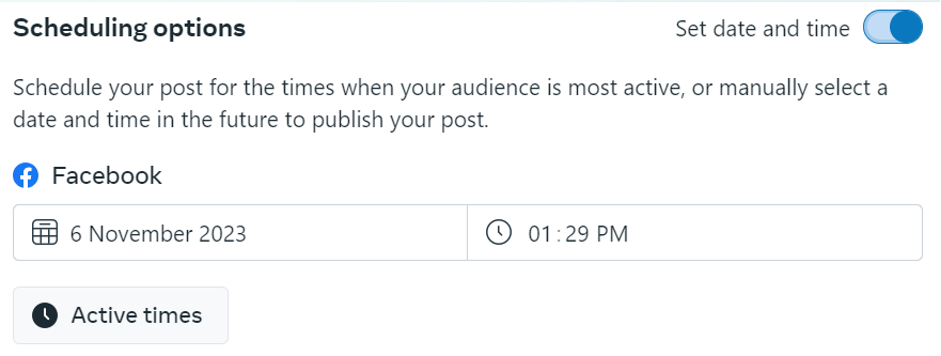
- Instead of clicking "Publish now", click the arrow next to the Publish button and select "Schedule post".
- Select the date and time you want the post to go live, then click "Schedule".
How do you view and manage scheduled posts?
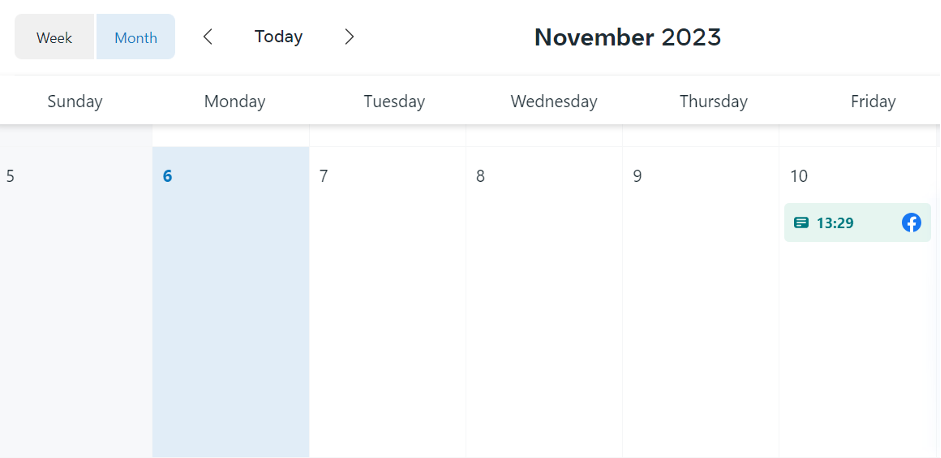
To see all your scheduled posts, go to the Planner section in Meta Business Suite and switch to the calendar view or list view. Scheduled posts appear in a different colour from published posts. You can click any scheduled post to edit the copy, change the image, or reschedule it to a different time. You can also delete a scheduled post from this view if you decide not to publish it.
Can you schedule posts from the Facebook Page itself?
Yes. If you prefer not to use Meta Business Suite, you can schedule posts directly from your Facebook Page. Go to your Page, click "Create post", compose your content, and look for the scheduling option in the post composer.
The interface has been updated by Facebook periodically, but the option to schedule is typically accessed via a clock icon or a dropdown near the Post button. Meta Business Suite offers more features and a clearer content calendar view, making it the recommended option for ongoing social media management. Facebook remains one of the most widely used social platforms in Thailand, making a consistent posting schedule particularly valuable for reaching Thai audiences across both Facebook and Instagram from a single workflow.